
HELLO CREATORS,
Ever wanted to turn a static icon idea into a clean, animated 3D visual — without touching After Effects?
Here’s a quick and easy way to do exactly that using ChatGPT’s GPT-4o image generation and Freepik’s built-in AI video tools.
Whether you’re building UI elements, micro-animations, or just experimenting with motion design, this flow keeps it light, fast, and super creative.
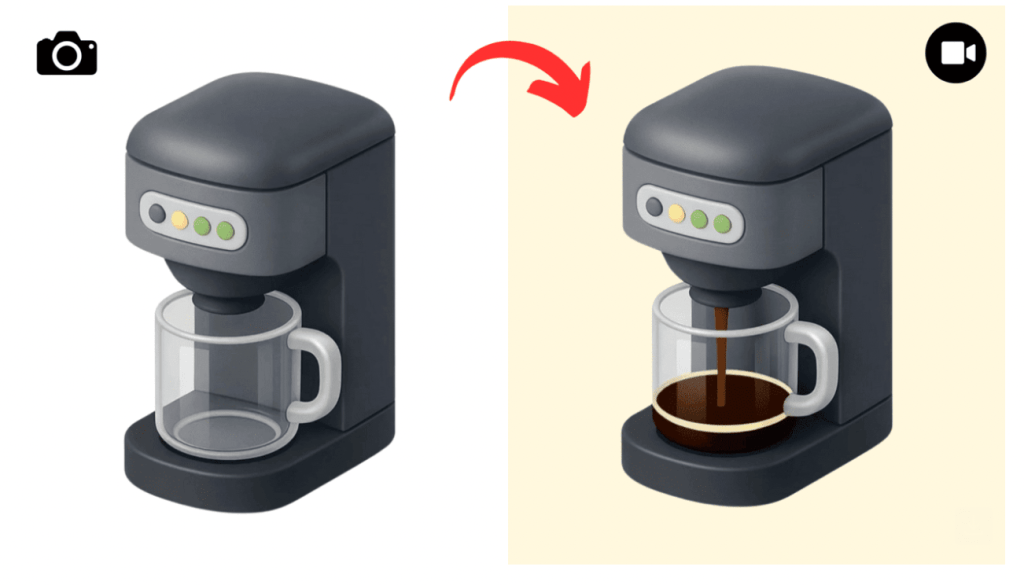
Step-by-Step: From Prompt to Animation
Step 1: Generate Your Icon in ChatGPT
Use GPT-4o with image generation enabled. Start with a prompt like:
“Generate an icon of a coffee maker in the style of [reference image or mood].”
You can upload a visual reference or just describe the vibe (e.g., “clay style,” “plastic toy look,” “low-poly 3D”).
Step 2: Refine with Follow-Ups
If the first version isn’t quite it, tweak it with follow-up prompts:
“Make it more rounded,” “Add a coffee cup next to it,” “Make the handle bigger.”
Iterate until you’ve got a clean, centered icon with a strong silhouette.
Step 3: Animate with Freepik AI Video
Go to Freepik → Create → Videos. Select an AI model:
- Runway for cinematic realism
- Google Veo 2 for smooth scene dynamics
- Kling 2.0 for high detail and texture control
Upload your icon image and prompt something like:
“The coffee maker fills the coffee cup with coffee, slow motion, loopable.”
Step 4: Download and Polish
Preview your generations and pick the cleanest loop. Download it. You can refine timing later in CapCut or Premiere if needed.
Pro Tip:
Keep it short and subtle — 2 to 3 second loops work best for UI motion, app screens, hero sections, or product pages.
You can even batch-create icon sets with consistent motion direction for a full visual system.
Stay curious,
Kinomoto.Mag




